🎮 Server Events

Events & Configuration Guide

6 competitive events with auto-rotation, full RCON delivery, and a complete post-wipe checklist.

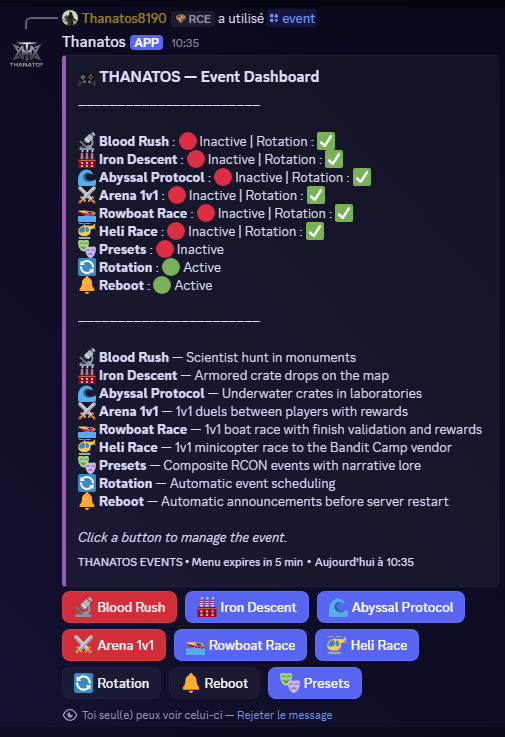
/event — Event Dashboard
Thanatos Event Dashboard
BLOOD RUSH◆ SCIENTIST HUNT ◆SYS::EVT-001STATUS:ACTIVE
🔬

Blood Rush

SCIENTIST HUNTAUTO-ROTATION ✓
📍 All Monuments (Server-Wide)

Scientists spawn across every monument on the server. Players hunt and kill them to earn T-CRED and items. The top 3 killers on the leaderboard claim the prizes when the timer ends.

▶ How It Works

  1. 1Admin sets the event duration (default: 15 min) and starts via /event
  2. 2The bot sends an RCON broadcast alerting all players that scientists have spawned
  3. 3Scientists appear at monuments across the map — Airfield, Military Tunnel, Launch Site, Power Plant, etc.
  4. 4Every scientist kill is tracked in real time and attributed to the killing player
  5. 5At the end of the timer the top 3 killers are ranked and announced
  6. 6The bot delivers T-CRED and configured items directly via RCON to each winner
  7. 7Final leaderboard posted in #global-events on Discord

▶ Requirements

  • RCON connected
  • #global-events channel set via /channel_hub
  • Rewards configured (recommended)

▶ Step-by-Step Configuration

1
Open the Event Dashboard
Type /event in any channel. A panel opens with all event controls.
2
Click 🔬 Blood Rush
Opens the Blood Rush control panel with Start, Stop, Rotation, and Rewards.
3
Set the reward pool
Click Rewards → enter T-CRED for 1st place and optional item names (e.g. rifle.lr300 ammo.rifle x200). 2nd and 3rd get scaled rewards automatically.
4
Toggle Rotation
Click Rotation to include Blood Rush in the auto-rotation queue.
5
Start the event
Click Start → enter duration in seconds (e.g. 900 = 15 min) → confirm. The event starts immediately.

▶ Commands

/event

Open the Event Dashboard — all controls in one panel

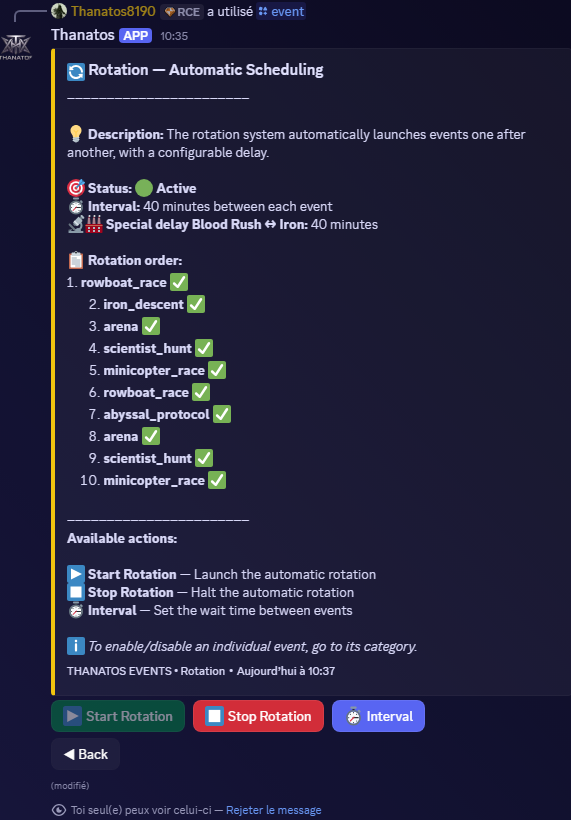
Auto-Rotation panel
🔄

Auto-Rotation

AUTOMATIC SCHEDULING

Set it once and forget it. The rotation launches events automatically with a configurable interval. No admin input required once started.

1Open Event Dashboard/event
2Go to Rotation→ Rotation
3Set interval between events→ Interval (e.g. 40 min)
4Choose which events to run→ Edit Events
5Enable the rotation→ Start Rotation
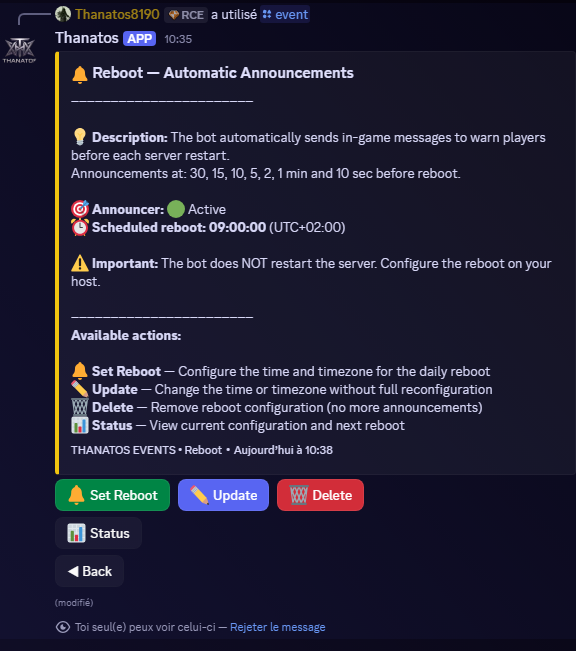
Reboot Announcer panel
🔔

Reboot Announcer

SCHEDULED WARNINGS

Sends in-game RCON warnings before your daily restart: at 30, 15, 10, 5, 2, 1 minute and 10 seconds. Supports any timezone.

1Open Event Dashboard/event
2Go to Reboot→ Reboot
3Set time + timezone→ Set Reboot
4View countdown→ Status
💡 The bot sends warnings only — your server host handles the actual restart.
🔁 Post-Wipe Reset

After Every Server Wipe

Every wipe destroys player structures and may shift monument coordinates if the map seed changes. Follow this checklist to keep all events fully operational.

REQUIRED
Start a New Season
/admin → Economy → New Season

Resets all player statistics (kills, deaths, K/D, prestige, karma). Enter a season name, decide whether to keep T-CRED balances (type YES) or reset them, then type CONFIRM.

Post-Wipe Baseline Check
/event → Presets → Post-Wipe Check

Verifies all RCON baseline variables are still correct. If something changed, a wizard lets you reconfigure in one pass.

Reconfigure Arena Spawn Points
/arena set_spawn_a / set_spawn_b / set_exit

Every wipe destroys all player-built structures — your arena is gone. Rebuild it and re-set all 3 points before the next Arena 1v1 event.

Reconfigure Iron Descent Crate Positions
/iron_descent set_crate1–4

If the map seed changed, Military Tunnel positions shift. Re-enter the monument with an admin and re-run all 4 set_crate commands.

Reconfigure Abyssal Protocol Crate Positions
/abyssal_protocol set_crate1–4

Same as Iron Descent — if the map changed, Underwater Lab positions changed too. Dive in and re-set all 4 positions.

Reconfigure Heli Race Start Position
/helirace set_here start <gamertag>

If the start was a player-built platform, it is gone. Choose a new start point and re-run the command. The Bandit Camp finish radius is unaffected.

RECOMMENDED
Reconfigure Rowboat Race Points
/event → Rowboat Race configuration

Coastal terrain survives wipes, but verify all spawn and finish points are still valid. Re-set any that shifted.

Reset Minicopter Cooldowns
/admin → Economy → Reset Cooldowns

Clears all per-player minicopter purchase cooldowns so every player starts the new cycle fresh.

Update Wipe Date
/admin → Server → Set Wipe

Set the next expected wipe date. Used for countdown announcements and the server guide.

Clear Clan Data (if applicable)
/admin → Channels → Clan Data Reset

Only if your server wipes clans. Clears memberships, treasury, and war records. Skip if clans carry across wipes.

OPTIONAL
Post a Wipe Announcement
/admin → System → Post Update

Send a formatted announcement informing players about the new season or upcoming events.

Review Event Rotation
/event → Rotation → Edit Events

Check which events are queued for the new cycle. Add or remove events to match your schedule.

Verify Event Rotation is Running
/event → Rotation → Status

Confirm the auto-rotation is still active and the queue is correct.

Need help configuring an event or recovering from a wipe?